Editorial concept illustration, not a real Cinegato screen: verify the source and package before treating any file as the app.
Quick answer
The newest verifiable third-party record checked on July 29, 2026 is Cinegato 2.1.1 for package com.naughty.cinegato, about 60.48 MB, requiring Android 6.0 or newer, with an update date of June 3, 2026. A different Cinegato site still advertises 2.0.7, 22.9 MB, and Android 5.0+, while Google Play results use other package identities. Because no clear first-party release channel or stable official file URL was confirmed, this page does not claim an official direct download. Use the source pages as identity references and verify the final APK independently.
What this guide covers
Cinegato APK version and source check
The most recent traceable listing we found is Uptodown's Cinegato 2.1.1 record. It identifies package com.naughty.cinegato, reports a 60.48 MB file, requires Android 6.0 or newer, and shows June 3, 2026 as the update date. These details are useful for comparison, but Uptodown is a third-party distributor rather than proof of a developer-controlled release.
The identity problem appears when other pages are compared. Cinegato.com.br promotes version 2.0.7 at 22.9 MB for Android 5.0+, which is a materially different combination. Google Play search results also include a reading tracker and another entertainment listing under different package names. A matching brand name is therefore not enough: version, package, size, publisher, certificate, and app purpose must agree.
A newer-looking number does not automatically win. The correct decision is to keep the listing date, package name, Android requirement, and source URL together. If the downloaded file does not match the record you chose, do not install it and do not search through increasingly anonymous mirrors.
| Source checked | Details visible on July 29, 2026 | Decision |
|---|---|---|
| Uptodown listing | 2.1.1; com.naughty.cinegato; 60.48 MB; Android 6.0+; updated June 3, 2026 | Latest verifiable third-party record, not an official direct file |
| Cinegato.com.br | 2.0.7; 22.9 MB; Android 5.0+ | Conflicting identity/version record; verify before trusting |
| Google Play results | Different package names and different app purposes | Do not merge them with the streaming APK by name alone |
| Anonymous APK mirrors | Changing versions, sizes, redirects, and MOD claims | Not acceptable evidence of a latest or official release |
- Uptodown Cinegato 2.1.1 listing (page fallback)
- Cinegato.com.br version page for comparison
- Google Play Cinegato name check
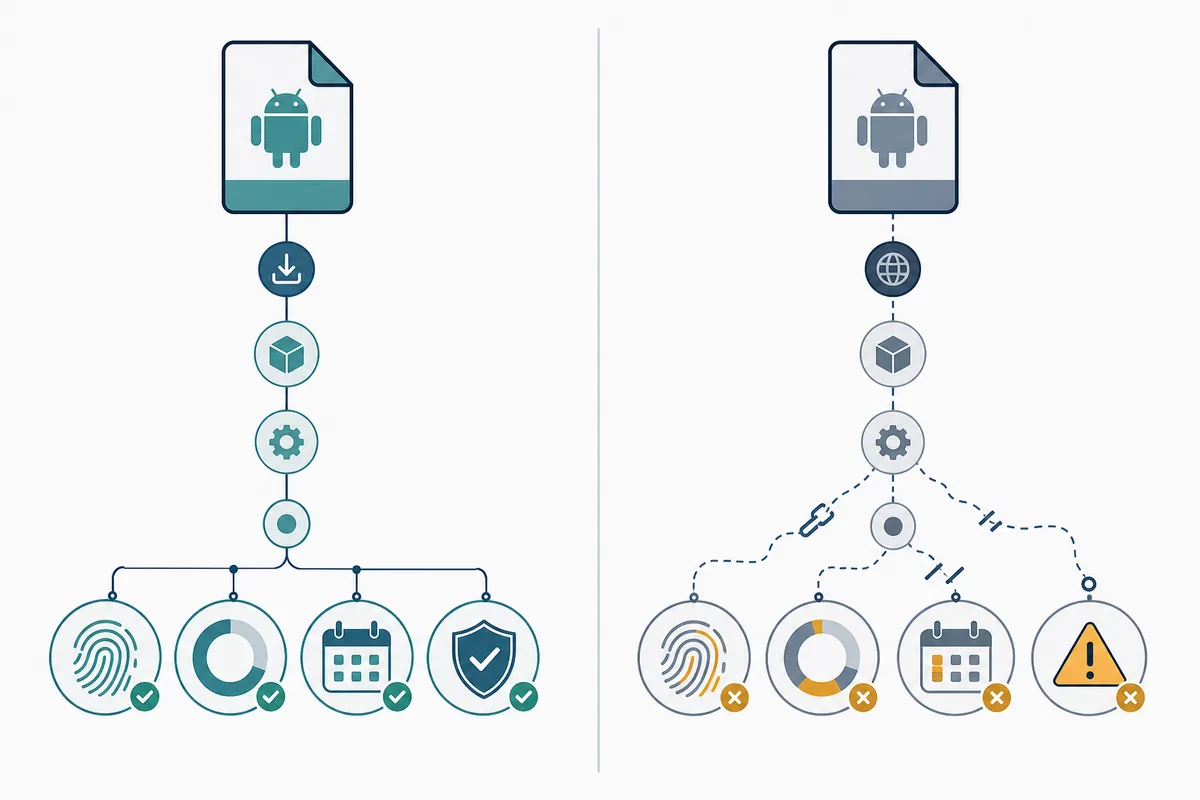
Editorial concept: a trustworthy version check keeps source, package, size, date, and fingerprint connected.
How to check a Cinegato APK download before installing
Treat the download page as a claim and the downloaded file as separate evidence. Record the expected version, package name, file size, Android requirement, and source address before starting. After download, confirm that the file is actually an APK, that its size is reasonably close to the listing, and that Android identifies the expected package instead of an unrelated app.
Avoid pages that hide the final host behind multiple short links, ask you to install a downloader first, change the filename during redirects, or promise premium, VIP, no-ads, or unlocked content. Those patterns make it difficult to trace who modified the package. A security scan can detect some known threats, but it cannot prove copyright status, publisher authenticity, or that the app will behave as advertised.
If Android reports a parse error, signature conflict, or unsupported version, stop and diagnose the mismatch. Do not repeatedly try random files. An existing installation signed by a different certificate may need to be removed before a legitimate update can install, but removing it also deletes app data and should not be done until the source identity is understood.
- Write down the expected version, package, file size, Android requirement, and source URL.
- Confirm the final file ends in .apk and does not arrive as EXE, ZIP, extension, or bundled installer.
- Compare package identity and certificate with an already trusted installation when possible.
- Reject administrator, accessibility, SMS, contact, or device-control permissions that have no clear playback purpose.
- Allow unknown-source installation only for the browser or file manager used, then disable it again.
- Keep a legal streaming alternative available instead of accepting an untraceable mirror under pressure.
Cinegato TV APK: Android TV, TV Box and Google TV
The related keyword Cinegato TV APK has a distinct device intent, but it belongs as a major section here rather than a second page until the site has evidence that a separate TV guide can rank without duplicating this core article. Android TV, Google TV, and Android-based TV boxes can generally install compatible APK files, but installation support does not guarantee remote-friendly navigation, landscape layout, codec support, subtitles, or stable playback.
Before moving a file to the television, test it on a spare Android device or isolated profile. For USB transfer, verify the APK on the computer first, copy only the expected file, and use a reputable TV file manager. For a Downloader-style route, enter a full source URL you can inspect rather than a code or short link that hides the final destination.
After installation, check focus movement with the remote, back-button behavior, subtitle controls, video orientation, audio output, and whether the app appears correctly in the launcher. Remove the installer file afterward and revoke unknown-app permission. Samsung Tizen and LG webOS televisions do not install Android APK files directly; an external Android TV box is the relevant boundary.
| Device | Possible route | Important limitation |
|---|---|---|
| Android phone or tablet | Local APK install after source verification | Small-screen layout does not prove TV usability |
| Android TV / Google TV | USB, local transfer, or verified full URL | Remote focus, launcher icon, codecs, and subtitles must be tested |
| Android TV Box | Same Android APK route with device-specific checks | Low storage and old Android builds can cause failures |
| Amazon Fire TV | Sideload only after source and compatibility checks | Downloader codes can hide redirects; revoke permission afterward |
| Samsung Tizen / LG webOS | Use a supported native app or external Android device | APK files do not install directly on these operating systems |
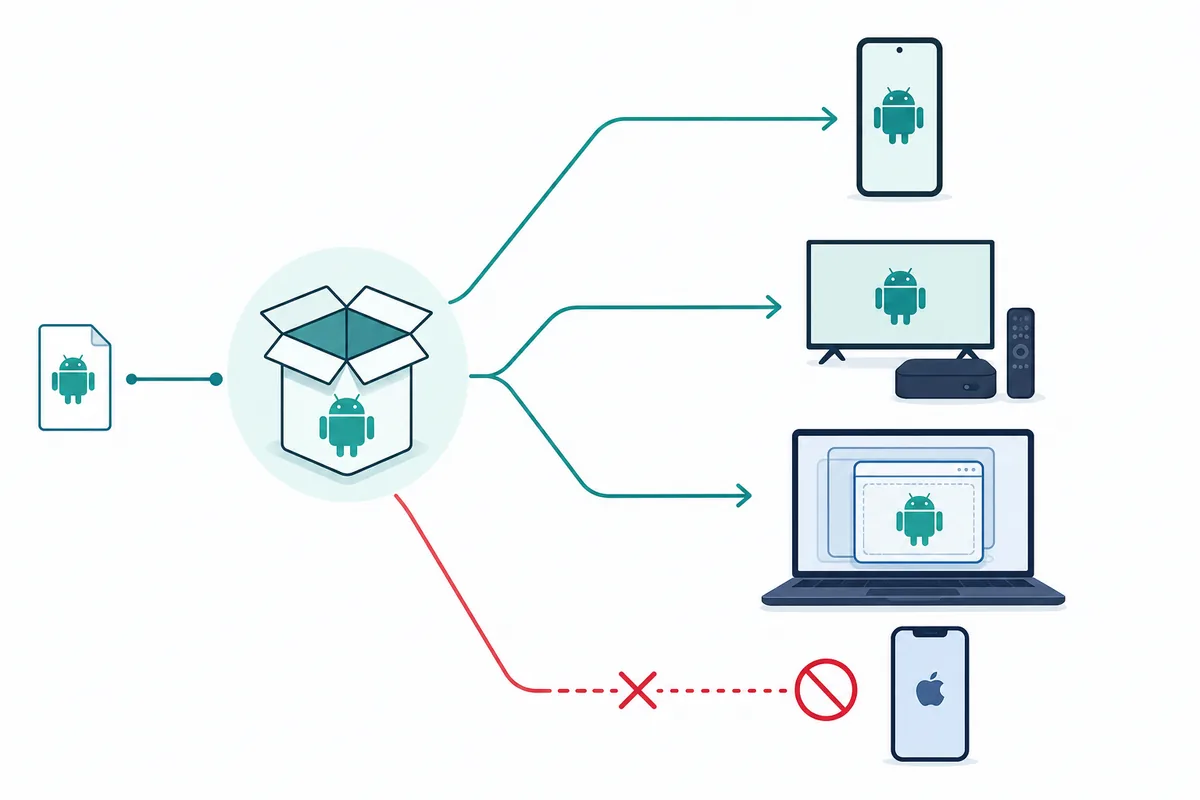
Editorial concept: APK compatibility starts with the operating system, then requires device-specific testing.
Cinegato APK on PC, laptop and iPhone
Cinegato APK PC and Cinegato for notebook appear in related searches, but current demand is not strong enough to justify another page. The safe interpretation is an Android emulator route, not a native Windows EXE. Install an emulator only from its publisher's official site, keep the APK inside that isolated environment, and avoid installers that combine the emulator and an unknown Cinegato package in one executable.
Performance depends on virtualization support, graphics drivers, RAM, storage, and codec handling. A streaming APK may also block emulators or fail because touch, orientation, DRM, or network assumptions differ. If the app requires suspicious Windows permissions or asks you to disable security software, stop.
An APK cannot install directly on iPhone or iPad. Pages offering Cinegato APK for iOS are either describing a different web service, asking for a configuration profile, or misusing the APK term. Use an App Store app with a verifiable publisher or a lawful browser-based service instead.
- Download the emulator installer from the emulator publisher, not from an APK mirror.
- Create a separate emulator instance without sensitive accounts or files.
- Verify the Cinegato APK source and package before importing it.
- Test playback, permissions, network use, and uninstall behavior.
- Delete the instance if identity or behavior does not match the expected app.
Which Cinegato keywords deserve a page, section, FAQ or no action
Similarweb's phrase-match tab supports Cinegato APK as the primary new page because it combines a distinct entity, measurable demand, informational download intent, and difficulty 19. Cinegato TV APK has higher recent volume but difficulty 62 and overlaps the same installation decision, so it is covered as a substantial TV section. Cinegato APK PC has historical interest but no recent window volume, so it remains a support section and internal-link anchor rather than a standalone URL.
The related-keywords tab also returns Cinegato, Cinegato online, how to download a Cinegato file, and MOD variants. The broad brand term is mainly navigational and should not replace the APK intent. The download question is answered through the safety checklist. MOD terms have no recent volume and introduce high-risk modified-package intent, so they are handled only as a warning and FAQ. Similarweb returned no question-keyword records for this seed; no synthetic question volume is claimed.
| Keyword | Similarweb signal | Content decision |
|---|---|---|
| cinegato apk | Window volume 460; average volume 6,454; difficulty 19; informational | Create this new core guide |
| cinegato tv apk | Window volume 1,940; average volume 1,212; difficulty 62 | Major section in this guide; not a second page yet |
| cinegato | Window volume 128,650; average volume 62,938; difficulty 63; navigational | Use as a natural brand variant and internal anchor |
| cinegato apk pc | Window volume 0; average volume 341; difficulty 5 | Support section and internal-link anchor |
| como baixar arquivo cinegato | Window volume 10; average volume 101; difficulty 16 | Checklist/FAQ intent, not a separate page |
| cinegato apk mod | Window volume 0; average volume 255; difficulty 19 | Safety warning and FAQ only |
| question tab | No records returned | Do not invent demand; answer only genuinely useful questions |
When not to install Cinegato APK
Do not install when the source calls itself official without a developer identity, when the final URL belongs to an unrelated host, or when the package details change between the page and the file. Stop if a button opens browser notifications, a VPN bundle, a subscription form, or a different app before exposing the APK.
Also stop when the page makes legal or safety guarantees that cannot be verified. A version label, green shield, or malware-scan badge does not establish content rights or publisher ownership. Streaming availability may vary by region, and users remain responsible for local copyright rules and the services they access.
The practical alternative is to use the DeepCine alternatives guide to compare lawful store apps, official broadcaster services, and better-documented Android options. Skipping an untraceable file is a valid result of the verification process.
- No stable publisher, package, version history, or release notes can be identified.
- The source promises an official, premium, VIP, MOD, or no-ads build without traceable evidence.
- The file size, extension, package, or Android requirement differs materially from the selected listing.
- The installer asks for unrelated high-risk permissions or another app must be installed first.
- The device is iOS, Tizen, or webOS but the page still promises direct APK installation.
- The only available link is temporary, session-bound, region-blocked, or hidden behind redirects you cannot verify.
Cinegato APK FAQ
Compare a safer route before installing
No stable first-party Cinegato file URL was verified, so this guide intentionally avoids a direct download button. Compare alternatives, review the Android TV route, or use an emulator only after the package identity is clear.
Related APK and device guides
- DeepCine alternatives - Compare lawful services, store apps, and better-documented APK routes
- DeepCine for Smart TV - Android TV, TV Box, Samsung Tizen, and LG webOS boundaries
- DeepCine for PC - Emulator setup and native EXE warning signs
- YouCine APK TV Box - A separate app identity with TV Box checks
- Xuper TV APK - Version, source, and Android TV verification pattern