DeepCine APK is an Android package, so iPhone users should verify App Store identity and avoid APK-style iOS install promises.
Quick answer
Do not install an APK file on iPhone. iOS uses App Store apps, TestFlight builds, web apps, and tightly controlled enterprise profiles; a normal Android APK belongs on Android, Android TV, Fire TV style devices, or an emulator test environment, not directly on iPhone or iPad.
What this guide covers
APK vs iOS: why the file type matters
DeepCine APK download intent is Android-first. APK means Android Package Kit, and iOS does not treat that file as an installable iPhone app. If a page tells you to download a DeepCine APK and open it on iPhone, the instruction is already mismatched. At best, the file will not install. At worst, the page may push a profile, a browser extension, a shortcut, or another file that is not the app you expected.
This is why the iOS page deserves a separate keyword boundary. The main DeepCine APK page helps Android users inspect a package before sideloading. This guide helps iPhone and iPad users decide whether an iOS claim is real, mislabeled, or risky before they tap any download button.
| Claim | What it usually means | Safer decision |
|---|---|---|
| DeepCine APK for iPhone | Android file being marketed to iOS users | Do not install; APK is not an iOS app |
| DeepCine on App Store | May be a same-name or unrelated listing | Check developer, category, screenshots, and reviews |
| iOS profile install | A configuration profile or enterprise-style prompt | Avoid unless you fully trust the organization |
| Web version or online player | A browser page, not a native app | Check URL, ads, and legal content source |
| TestFlight build | Limited beta distribution | Use only from a verified developer invitation |
How to check a DeepCine App Store listing
A name match is not enough. App stores can contain apps with similar names, different publishers, different categories, or unrelated functions. If you find a DeepCine listing, inspect the developer name, privacy labels, age rating, category, update history, screenshots, review pattern, and whether the app description matches the entertainment APK users are searching for.
Be especially careful when a search result alternates between entertainment claims and unrelated categories such as utilities, tools, cleaners, or download managers. That mismatch is a strong sign that you are not looking at the same Android APK experience described by APK download pages.
- Confirm the developer name and compare it with the page that recommended the app.
- Read the category and privacy labels instead of trusting only the app title.
- Check whether screenshots show the expected content browsing experience or an unrelated utility.
- Review recent ratings for complaints about redirects, ads, or different functionality.
- Do not enter account details if the app identity is unclear.
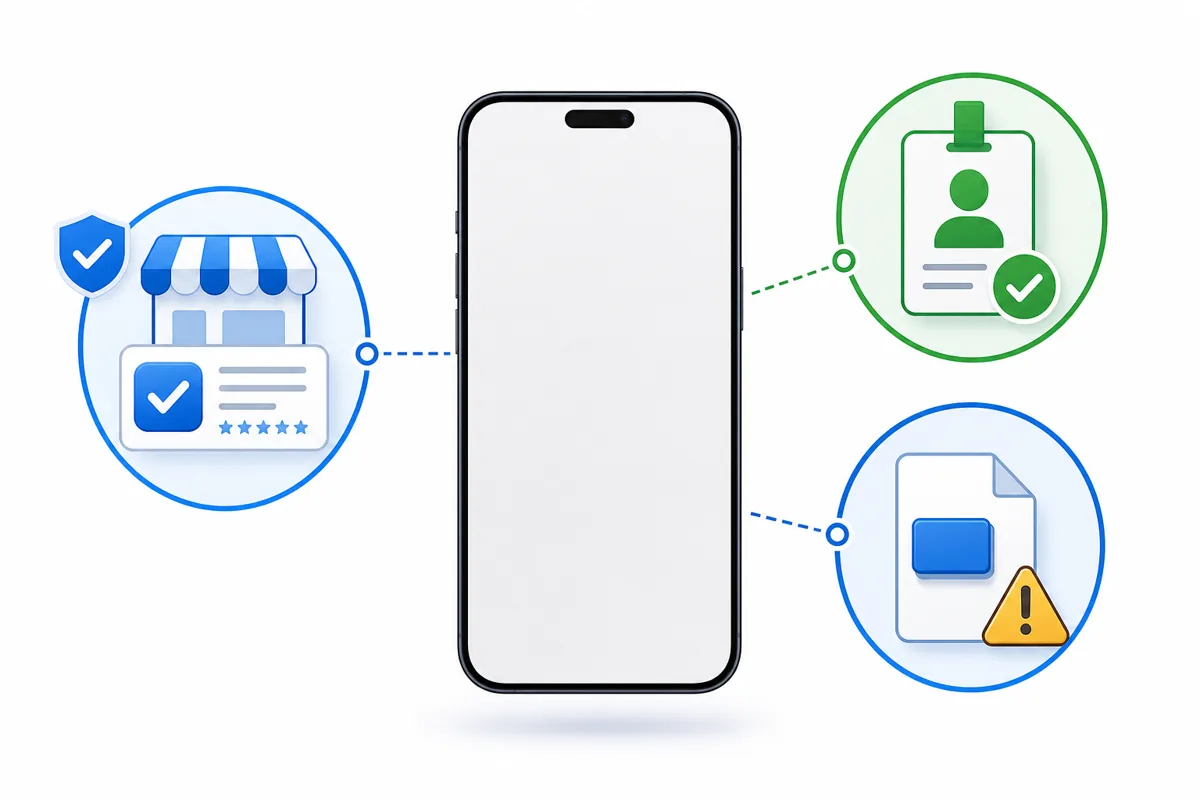
Use the listing details to verify identity; do not rely on a matching app name alone.
Red flags in fake DeepCine iOS download pages
Fake iOS download pages often borrow Android APK language because it converts search traffic. They may show a large iPhone download button, then ask you to install a profile, complete offers, allow notifications, or download a file that does not come from the App Store. None of those steps proves that DeepCine is available as a real iOS app.
A real iOS route should be explainable in normal Apple terms: App Store listing, TestFlight invitation, web app URL, or managed enterprise deployment. If the page cannot explain which route it uses, treat the download as unsafe and leave.
| Red flag | Why it matters | What to do |
|---|---|---|
| APK button for iPhone | APK does not install on iOS | Use the Android guide only on Android devices |
| Profile required before preview | Profiles can change device settings | Reject unknown profiles |
| Human verification offers | Often used to monetize fake downloads | Close the page |
| No developer identity | You cannot verify who published it | Do not sign in or pay |
| File name changes after redirect | The final file may not match the claim | Stop before installation |
Safer alternatives for iPhone users
If your goal is simply to research DeepCine, use the iPhone browser to read version details, screenshots, permissions, and safety notes, but do not try to open the APK on iOS. If you need to test the Android package, use an Android phone, Android TV device, Fire TV style device, or a PC emulator where the APK format actually belongs.
If you want a larger screen, the Smart TV and Fire TV guides explain sideloading boundaries for Android-based TV hardware. If you want a controlled test before touching a phone, the PC guide explains emulator checks and fake desktop installer risks. Keeping each route separate prevents you from solving an iPhone question with unsafe Android instructions.
| Goal | Better route | Related guide |
|---|---|---|
| Read DeepCine version details | Use the website in Safari | Main APK download guide |
| Install the Android APK | Use Android phone or Android-based TV hardware | Smart TV or Fire TV guide |
| Test before phone install | Use a PC Android emulator | DeepCine for PC guide |
| Avoid modified files | Compare claims before downloading | MOD APK safety guide |
| Use iPhone only | Look for a verifiable App Store or web route | This iOS safety guide |
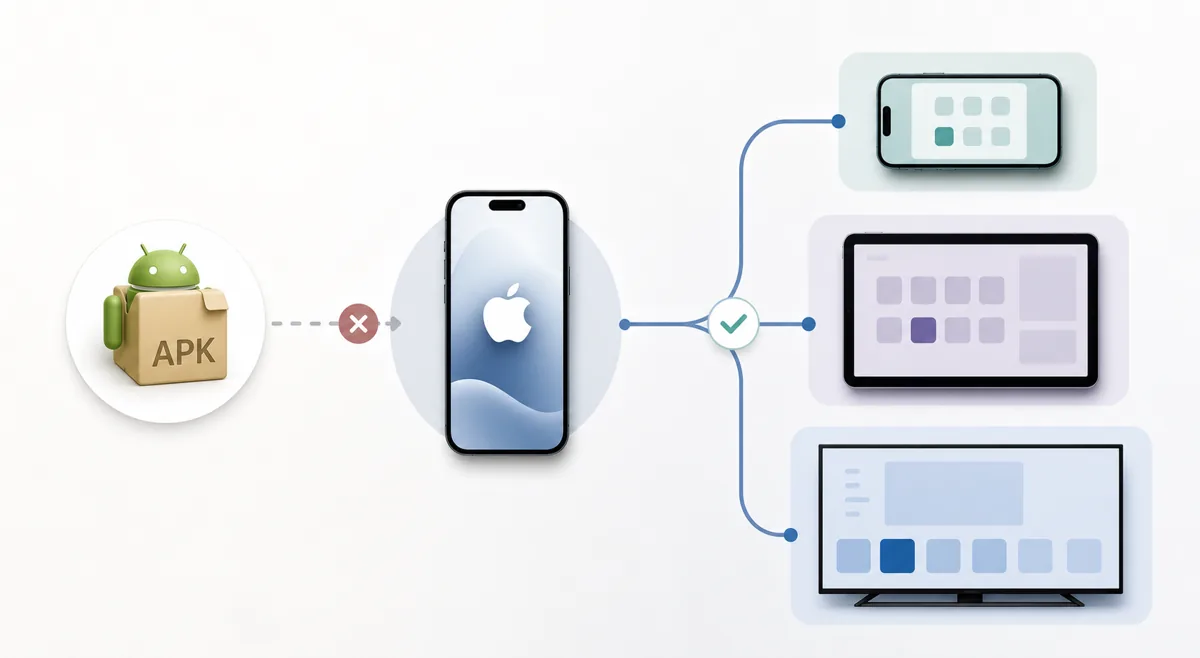
Choose the route that matches the device instead of forcing an Android APK onto iOS.
Privacy, safety, and legal notes
This site provides installation and safety guidance only. It does not develop DeepCine, does not control third-party APK files, does not verify streaming rights inside any app, and does not guarantee that a same-name iOS listing is related to the Android APK that users search for.
For iPhone users, the highest-risk steps are installing unknown configuration profiles, entering Apple ID or payment details on unofficial pages, allowing aggressive notification prompts, and trusting links that hide the final destination. Use lawful content sources, keep device security settings intact, and avoid files or profiles that cannot be verified.
DeepCine for iOS FAQ
Need the Android route instead?
If you are not on iPhone or iPad, start with the main DeepCine APK guide for Android version details, or use the device-specific guides for Smart TV, Fire TV, and PC emulator testing.
Related DeepCine guides
- DeepCine APK download guide - Android version details, screenshots, and general download checks
- DeepCine for PC - Emulator testing when you cannot install APK on iPhone
- DeepCine MOD APK safety guide - How to reject modified package claims and fake unlock pages
- DeepCine Alternatives - Compare APK, TV Box, iPhone, Samsung TV, and legal streaming choices