Concept illustration only: a Windows laptop can host an Android environment, but this image is not a real Xuper TV screenshot and does not verify a download.
Short answer
There is no independently verified native Xuper TV Windows EXE in the sources checked on August 18, 2026. If you are authorized to use the app and have a compatible Android package, the safer PC route is an Android emulator installed from the emulator publisher's own site, followed by package, version, permission, and file checks. Do not install an EXE that simply copies the Xuper TV name, and do not assume an APK is genuine because a search result says official or latest.
What this Xuper TV PC guide covers
- What Xuper TV PC, Xuper TV para PC, and Xuper TV APK for PC mean
- Xuper TV PC version check: what was verified on August 18, 2026
- How to install Xuper TV on a Windows PC without a fake EXE
- PC compatibility: emulator limits, controls, and performance
- APK identity checklist for Xuper TV PC searches
- Xuper TV PC troubleshooting: crashes, black screens, and update loops
- Privacy, account, and content boundaries
- Xuper TV PC FAQ
What Xuper TV PC, Xuper TV para PC, and Xuper TV APK for PC mean
The phrase Xuper TV PC has a broad informational intent. Some people want to watch an Android app on a Windows laptop, some search for Xuper TV para PC in Spanish, and others expect a native desktop installer. Those are not the same product route. An APK is an Android package; it is not a Windows program merely because a page adds the word PC to its title.
Similarweb's recent global keyword data shows a clear PC cluster: xuper tv pc has a monthly average volume of 110,087 and difficulty 58, while xuper tv para pc has 5,164 and difficulty 19. The exact phrase xuper tv pc apk has 1,625 and difficulty 8, and xuper tv apk download pc has 656 and difficulty 13. The question tab also returns queries such as how to install Xuper TV on PC and how to download Xuper TV on PC. These signals support a focused emulator guide, not a second generic Xuper TV APK page.
The same dataset also contains risky modifiers such as free, crack, MOD, and Hydra. They should be treated as warning signals rather than download targets. A PC page is useful when it explains what the user can verify and where the Android route stops.
| Search wording | Likely intent | Use on this page |
|---|---|---|
| xuper tv pc | Can it run on a computer? | Primary topic |
| xuper tv para pc | Spanish PC installation route | Localized support term |
| xuper tv pc apk | APK inside an Android environment | Emulator section |
| xuper tv apk download pc | Download plus PC compatibility | Source-check FAQ |
| Xuper TV MOD / crack / Hydra | Bypass or altered package | Safety warning; not a CTA |
Xuper TV PC version check: what was verified on August 18, 2026
This site is a download-intent guide, so version freshness was checked before adding this page. No verifiable first-party Xuper TV Windows release page, stable official EXE, or developer PC download was found. The existing Xuper TV status guide records community-maintained TV and mobile build signals, but it explicitly does not present them as guaranteed official latest releases.
Google Play was checked for identity comparison rather than treated as proof that a sideloaded package is the same app. The checked listings use different package IDs and publishers, including com.dohar.media.llp.xupertv and another similarly named TV listing. A store update date can tell you that a particular listing changed; it cannot prove that an APK from a mirror, a community code, or a PC download page belongs to that package.
Because no stable official file could be verified, this page uses source-page fallbacks instead of a direct APK or EXE button. Before every install, record the source URL, package name, version, file size, Android requirement, signer or checksum when available, and the permissions requested after installation. If any of those fields change between the page and the file, stop.
| Source checked | What it can establish | What it cannot establish |
|---|---|---|
| XuperTV community status thread | Current community signals and device branches | Official developer ownership or a guaranteed latest release |
| Google Play listings | Identity, publisher, package ID, and listing update date for that listing | That a sideloaded APK or mirror is the same package |
| Random PC download pages | Only the claims shown on that page | A safe native EXE, official status, or clean installer |
| Android emulator publisher | The emulator software and its installation source | The safety or legality of a third-party APK loaded into it |
How to install Xuper TV on a Windows PC without a fake EXE
The PC route is an Android environment, not a native Windows port. Choose an emulator that publishes its installer and documentation on a recognizable first-party domain. Check that hardware virtualization is available, keep enough disk space for the emulator and its virtual device, and avoid downloading a repacked emulator from the same page that advertises a cracked Xuper TV build.
The steps below describe a verification workflow rather than a promise that every Xuper TV branch will work. Streaming apps can depend on Android version, architecture, account policy, remote-control assumptions, DRM, and server-side updates. A clean emulator install cannot repair a broken or incompatible APK.
- Install the Android emulator from the emulator publisher's own download page and complete its normal security prompts.
- Create a fresh virtual device with a current Android image that matches the package requirement. Do not disable Windows security features just to make an unknown installer run.
- Before importing an APK, record its source page, filename, package name, version, file size, and checksum if the source provides one.
- Load the package through the emulator's documented install method. Avoid EXE wrappers that claim to be Xuper TV itself or ask for unrelated browser extensions, administrator tools, or notification access.
- Open the app, compare its displayed identity with the source record, and test navigation, playback controls, audio, subtitles, and account prompts.
- Remove the APK from the emulator downloads folder when it is no longer needed, revoke any temporary install permission, and keep the emulator isolated from important accounts if the source remains uncertain.
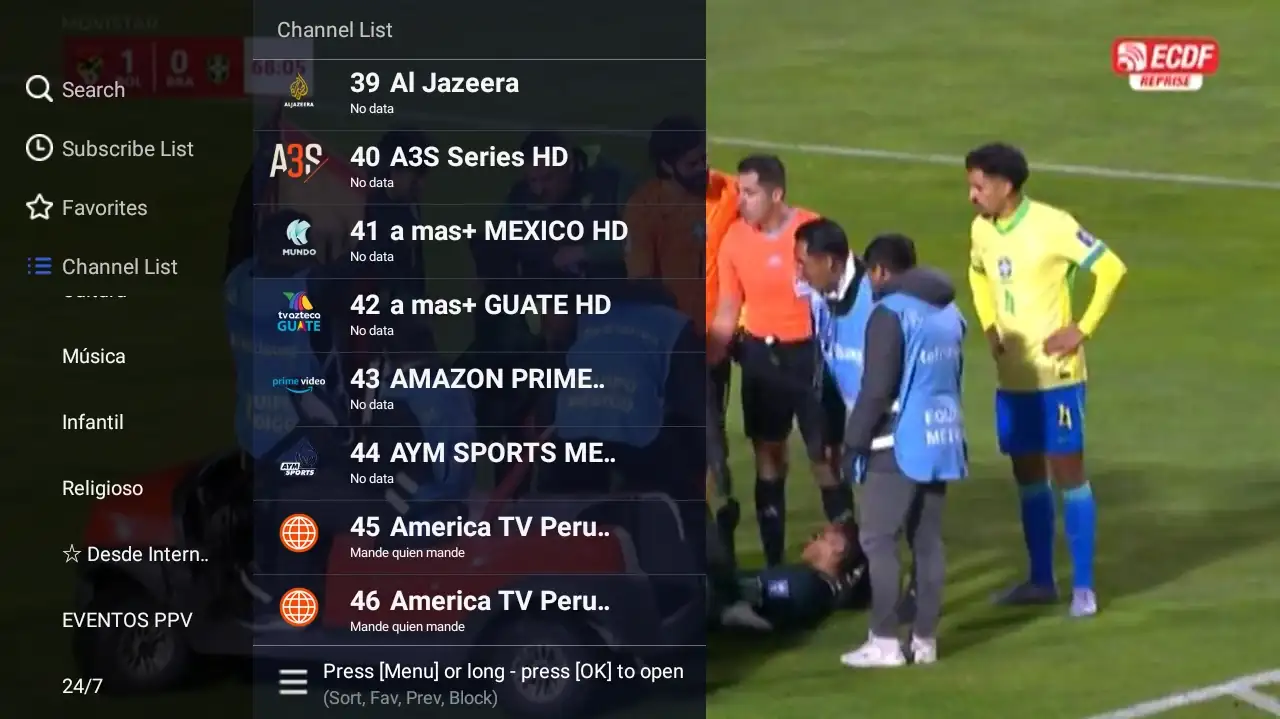
Existing interface capture used to explain TV-style focus and remote controls. It is not proof that a Windows emulator supports the current Xuper TV package.
PC compatibility: emulator limits, controls, and performance
A successful APK install is only the beginning. A TV build may expect a directional pad and ten-foot layout, while a mobile build may assume touch gestures or portrait screens. In an emulator, map a mouse and keyboard carefully, but do not treat a mapped click as proof that the original TV remote experience is supported.
Performance depends on the computer, emulator image, graphics mode, network, and the app's own playback behavior. Video decoding may stutter even when menus open normally. A low-end laptop can also run out of memory when the emulator, browser, and background services are open together. Test one change at a time and keep the source record so you can undo the change.
Windows and macOS do not natively install Android APK files. Samsung Tizen, LG webOS, Roku, iPhone, and iPad also do not become Android devices because a download page says Smart TV or PC. If the goal is a living-room experience, a supported Android TV or Fire TV device may be a better fit than forcing a phone build into an emulator.
| Environment | What to expect | Main check |
|---|---|---|
| Windows + Android emulator | APK can be tested inside a virtual Android device | Virtualization, Android image, graphics, and permissions |
| Android TV or Google TV | TV branch may fit remote navigation better | Package identity, architecture, storage, and remote focus |
| Fire TV or Android TV Box | Sideloading may be possible through a documented route | Model, install-source permission, and current branch |
| Samsung Tizen, LG webOS, Roku | No normal Android APK installation | Use platform-native options or external Android hardware |
| Native Windows EXE claim | Requires a verifiable developer release | Do not trust a filename or search snippet alone |
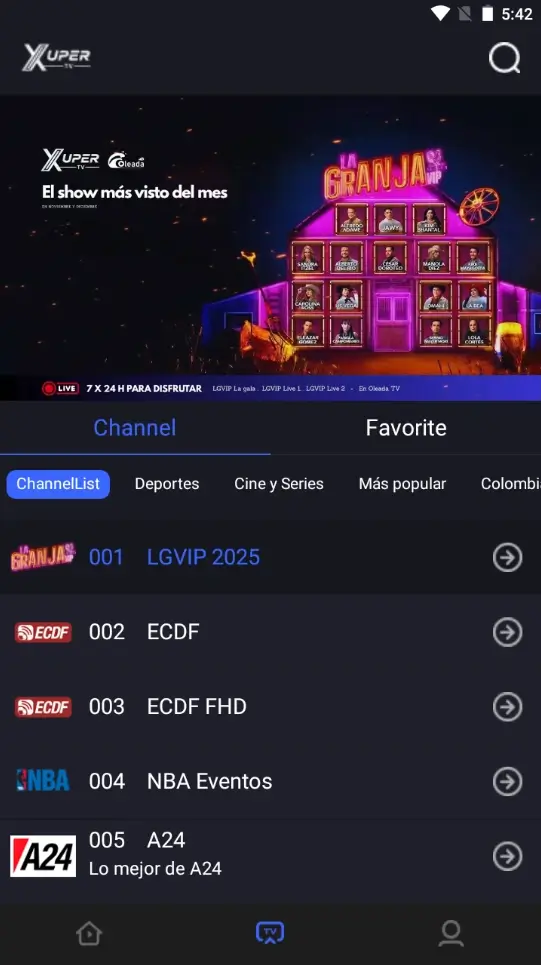
Existing app capture for visual context. The page's core answer remains crawlable text because screenshots cannot verify package identity or PC compatibility.
APK identity checklist for Xuper TV PC searches
Search results often reuse the same icon, title, and screenshots across unrelated files. Compare technical identity instead of trusting branding. The package name shown by Android, the publisher or signer, the version branch, the file size, and the permission list should tell one coherent story. If a page moves from an APK to an EXE, ZIP, browser extension, or installer bundle, treat that as a new product that needs separate verification.
Do not disable Play Protect, Windows Defender, or emulator security controls merely to bypass a warning. A warning is not proof that a file is malicious, but it is a reason to pause and investigate. Never enter a primary email password or payment card into a page that cannot explain who operates it, how renewal works, and how the data is handled.
This page does not call a MOD, VIP-unlocked, crack, or Hydra file a safer free solution. Altered packages can change signatures, permissions, advertising behavior, account handling, and update logic. If a paid prompt or forced update is the reason you searched for a PC download, record the current app state before uninstalling and do not replace it with a random patched build.
- The package name, publisher, version, and source page agree.
- The file extension is the expected Android package, not an unexplained EXE or bundle.
- The displayed size and checksum match the source when those fields are published.
- The app requests permissions that have a clear feature reason.
- The emulator and Windows security controls remain enabled.
- The final app opens without an unexpected account, payment, or update loop.
- You can remove the package and emulator without losing important account data.
Xuper TV PC troubleshooting: crashes, black screens, and update loops
Troubleshoot one variable at a time. First separate an emulator problem from an APK or account problem: open another harmless Android app in the same virtual device, check available storage, confirm the Android image, and restart the emulator. If only Xuper TV fails, capture the version and package identity before changing files.
Do not solve every error by downloading an older version. A service can force an update or change access rules on its server, so a downgrade may install and still fail at launch. If the app closes at the logo, loops through updates, or asks for unrelated permissions, stop and review the source rather than repeatedly granting access.
| Symptom | Possible cause | Safer response |
|---|---|---|
| Emulator will not start | Virtualization, graphics, or resource conflict | Check the emulator's own requirements and close competing virtual machines |
| APK will not install | Wrong architecture, low storage, signature conflict, or incomplete file | Recheck identity and source; do not disable security controls |
| Black screen or stutter | Graphics mode, decoder, network, or unsupported playback path | Test one graphics or network change and record the result |
| App closes at the logo | Incompatible branch, damaged package, or server-side change | Stop cycling mirrors; verify package and current source status |
| Update loop or payment prompt | Forced update, account policy, or current paid branch | Do not install a MOD just to bypass the prompt |
| Mouse cannot select TV items | Mobile build or weak focus mapping | Try the correct TV branch or use supported Android TV hardware |
Privacy, account, and content boundaries
An emulator adds another layer between the APK and the computer: virtual storage, device identifiers, network settings, and emulator permissions. Use a separate test account when appropriate, do not reuse an important password, and keep personal documents outside the emulator's shared folders. Review both Windows permissions and Android permissions.
An app listing or successful installation does not establish distribution rights for the catalog it exposes. Availability, licensing, subscriptions, and laws vary by country. Use only services and content you are authorized to access, and do not treat this independent guide as a developer, seller, file host, or safety certification.
For a broader device decision, compare the existing Xuper TV APK source guide, DeepCine PC emulator guide, Smart TV guide, and alternatives guide. Those pages answer different intents; this page stays focused on Xuper TV PC rather than promising a universal download.
Xuper TV PC FAQ
Check the source before choosing a PC route
No verified native Windows installer was found in the sources checked for this page. Start with the community status record, compare the package identity, and use the existing Xuper TV APK guide for device-branch details before loading anything into an emulator.
Related device and APK guides
- Xuper TV APK source guide - TV and mobile branches, package identity, and source checks
- DeepCine for PC - General Android emulator setup and PC limitations
- DeepCine for Smart TV - Android TV, TV Box, Samsung, LG, and Roku boundaries
- DeepCine alternatives - Platform-native and source-verification alternatives